Cloning Python and Node.js Projects from GitHub
Cloning Python / Node.js projects from GitHub
Cloning Python and Node.js Projects from GitHub
Installing Python Repository and Dependencies (Windows)
Before starting, ensure that you have git and python installed on your system. Open your terminal and navigate to the location where you want your local repository to be created.
Process (Command Prompt)
- Clone the repository to your system
git clone https://github.com/{username}/{repository}
- Change into the repository on your system
cd {repository}
- Create the virtual environment within the local repository
python -m venv venv
- Activate the virtual environment
.\venv\Scripts\activate
- Verify the virtual environment is active
where python
- Install packages defined in
requirements.txtfromPyPipip install -r requirements.txt
- [Optional] Update the packages defined in
requirements.txtpip install --upgrade -r requirements.txt
- Verify the packages installed within the virtual environment
pip list
- Run the entry point script
- Use
python -m main.pyifmain.pyis part of a package - Use
python main.pyifmain.pyis not part of a package
- Use
Example
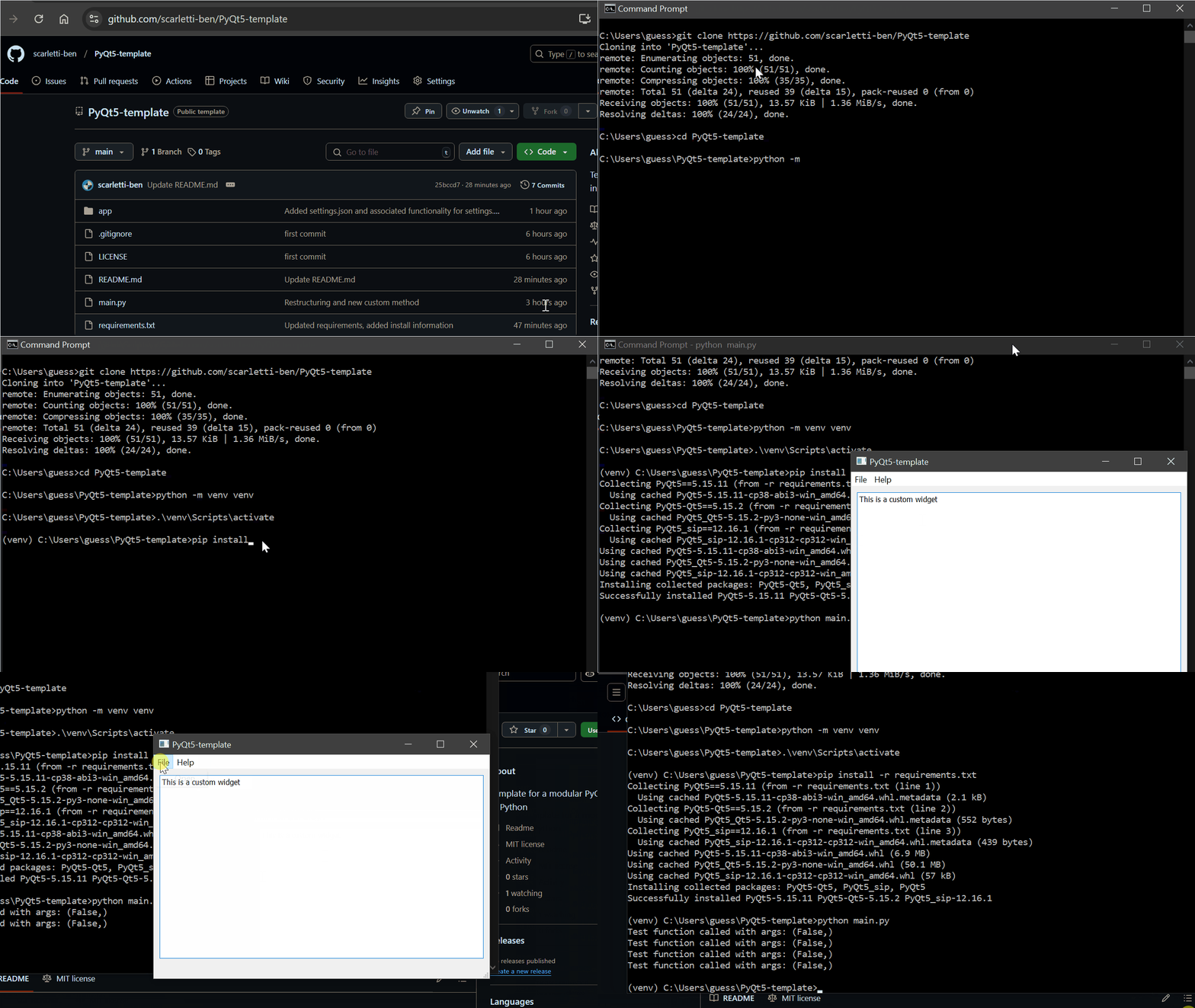
[!NOTE] By default, if you are not working in a virtual environment,
pipinstalls packages to the globalsite-packagesfolder
Installing Node.js Repository and Dependencies (Windows)
Before starting, ensure that you have git and Node Version Manager (nvm installed on your system. Open your command prompt and navigate to the location where you want your local repository to be created.
Process (Command Prompt)
- Clone the repository to your system
git clone https://github.com/{username}/{repository}
- Change into the repository on your system
cd {repository}
- Install and use required
node/npmversion from.nvmrcnvm installnvm use
- Verify your
nodeversionnode -vnpm -v
- Install project dependencies defined in
package.jsonfromnpmregistrynpm install
- Verify the packages installed
npm list --depth=0
- [Optional] Update all packages to latest compatible versions
npm update
- Run entry point of the project
- Use
npm startif defined inpackage.json - Otherwise use
node app.jsornode index.js
- Use
- [Miscellaneous] Commands that may be configured by the project
npm run devto run development server if configurednpm run buildto build project if configurednpm testto run tests if configured
This post is licensed under CC BY 4.0 by the author.